

Op Log
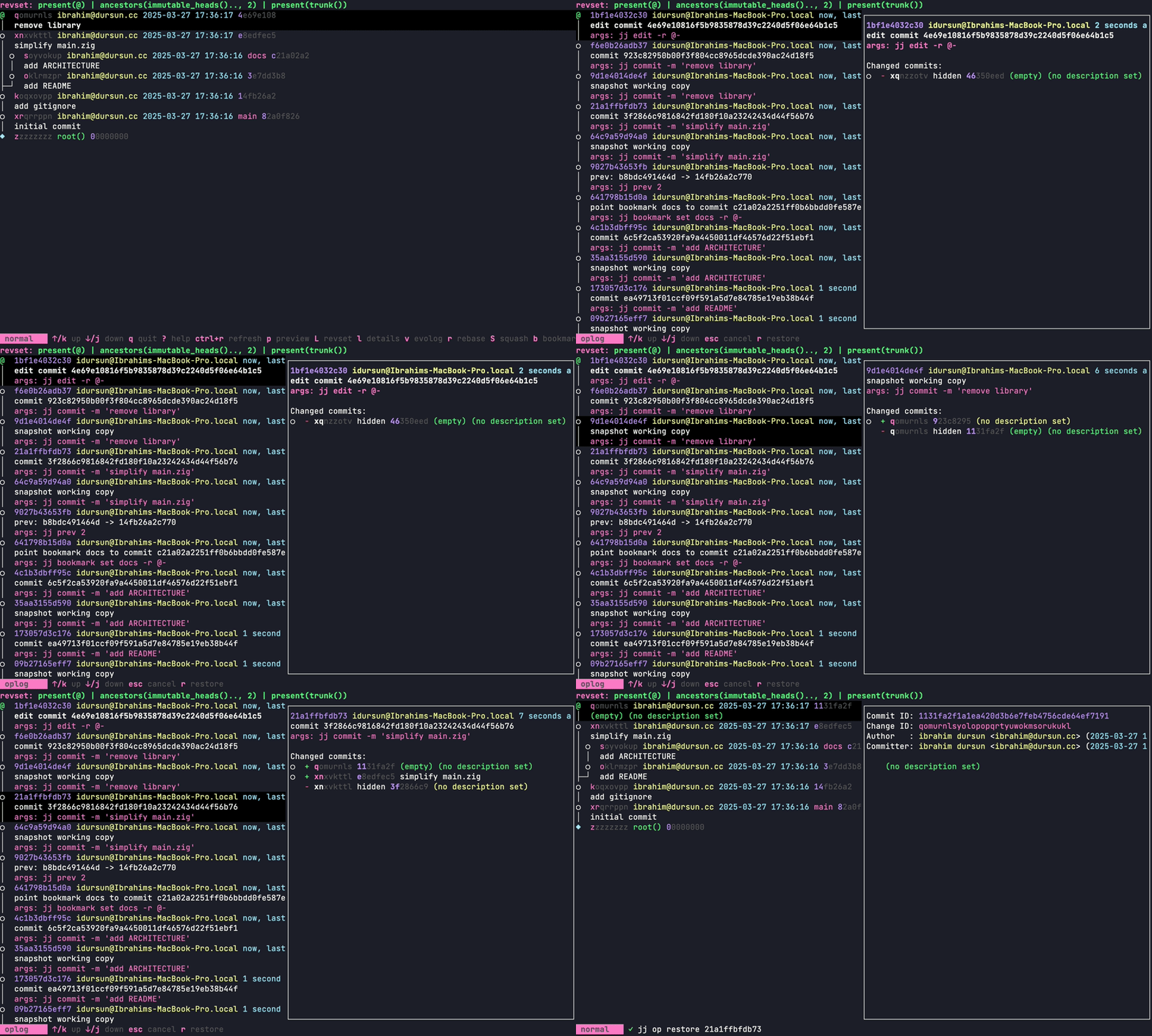
Press o to open the operation log. It shows the history of all jj operations run in the repository, limited to 200 entries by default.
Actions
Section titled “Actions”d: view the diff for the highlighted operation — opens the diff viewer showing what changedrrestore: runsjj op restore <op_id>— takes the repository back to the state it was in at that operation. Everything after it is discarded.shift+rrevert: runsjj op revert <op_id>— undoes only what that specific operation did, without discarding subsequent operations.
Navigation
Section titled “Navigation”j/k,pgup/pgdown: navigate entriesp: toggle preview (showsjj op showfor the highlighted entry)shift+p: move preview to bottom
Quick search
Section titled “Quick search”/: start search': next match": previous matchesc: clear search
esc: close and return to revisionsq: quit jjui
Configuration
Section titled “Configuration”[oplog]limit = 200 # number of operations to load