

Bookmarks
jjui provides a classic bookmark menu, an experimental interactive bookmark pane, and a quick inline input for setting bookmarks directly on a revision.
Interactive bookmark pane
Section titled “Interactive bookmark pane”The experimental interactive bookmark pane can be enabled in config.toml:
[bookmark]interactive_bookmark_pane = trueWith this option enabled, press b to open or close the bookmark pane beside the revisions view. Press tab to move focus between the revisions list and the pane. The classic bookmark menu remains the default when the option is disabled.
The pane displays local and remote bookmarks in a tree. Local bookmarks with remote counterparts can be expanded with enter; rows show tracking, deleted, and conflict states when applicable. h/l cycle the all, local, and individual remote filters. / filters by bookmark name, remote, target, or commit ID. space selects bookmarks for a multi-bookmark operation; ctrl+click toggles a row, and alt+click selects a range. When nothing is selected, operations use the highlighted row.
| Key | Action |
|---|---|
j / k, arrows, or ctrl+n / ctrl+p | Move through bookmarks |
pgup / pgdown or shift+k / shift+j | Page up / down |
enter | Expand or collapse remote refs |
h / l | Cycle remote filters |
s | Show the bookmark target in the Revisions view |
alt+enter | Set the active revset to the bookmark’s ancestors |
e | Edit the bookmark’s revision |
n | Create a new change from the bookmark’s revision |
r | Rename the local bookmark |
m | Move the local bookmark |
c | Create a bookmark |
d / f | Delete / forget |
t / u | Track / untrack |
shift+p / shift+f | Push / fetch |
esc | Clear the filter or selection, then close the pane |
Bookmark menu
Section titled “Bookmark menu”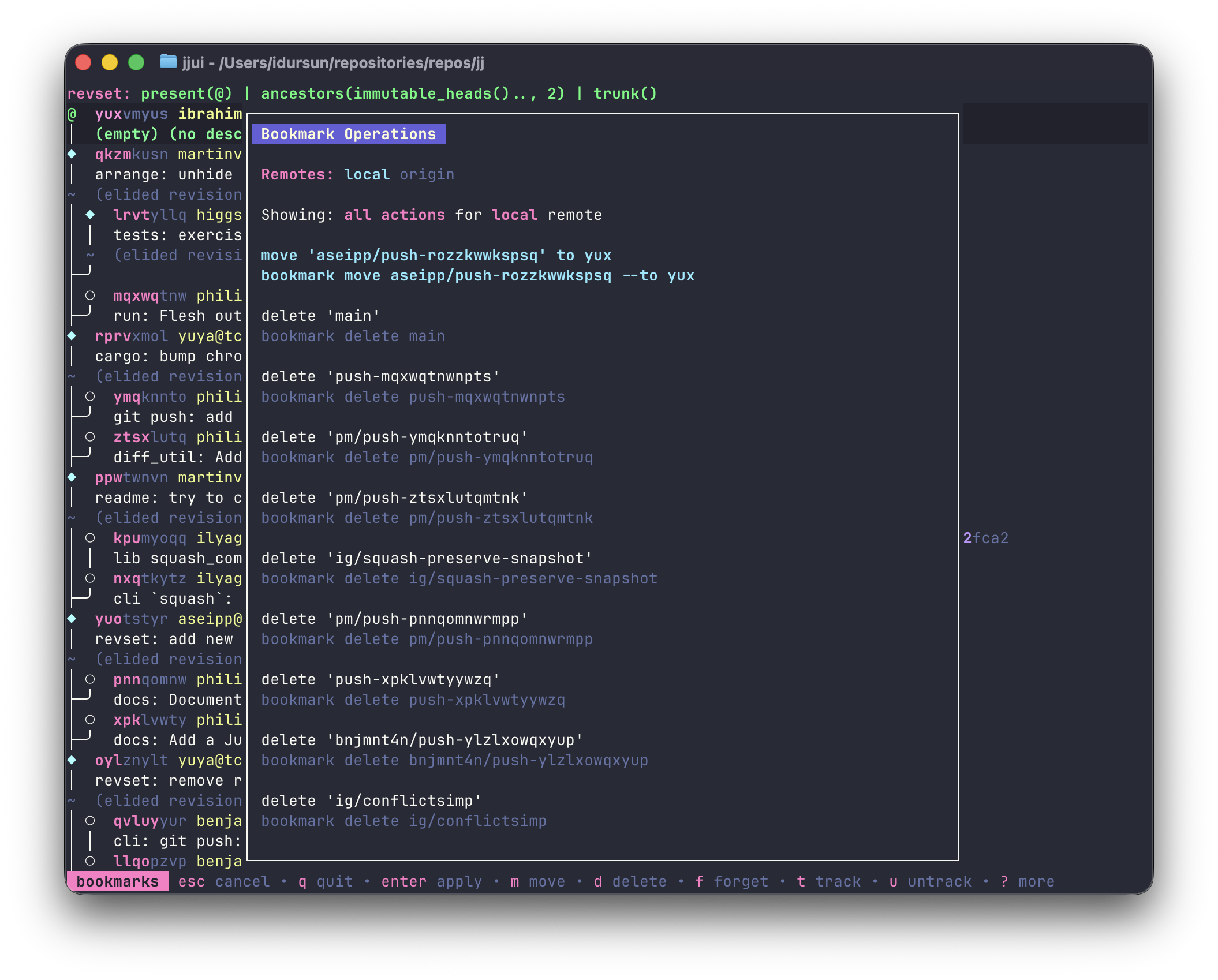
Press b to open the bookmark menu. It lists all available bookmark commands and can be filtered by type using shortcut keys:
m: filter to move commands — move a bookmark to the highlighted revisiont: filter to track commands — start tracking a remote bookmarku: filter to untrack commandsf: filter to forget commandsd: filter to delete commands/: free text filter — type a bookmark name to narrow the list
Press esc to close the menu.
Remote cycling
Section titled “Remote cycling”The bookmark menu shows “local” as the first remote, followed by all configured remotes. Press tab / shift+tab to cycle between them. The selected remote filters which commands appear:
- local: move, delete, forget, and untrack commands for all bookmarks, plus track commands for local-only bookmarks (those without a remote)
- a specific remote: only track and untrack commands for bookmarks on that remote
Items within each category are sorted by distance from the current revision — bookmarks closer to where your cursor is appear first in the move list.
Move commands also work when the highlighted target is a hidden revision, such as a remote bookmark whose local change was rewritten. jjui uses that hidden revision’s commit ID as the move target.
Setting a bookmark
Section titled “Setting a bookmark”Press shift+b on a revision to open an inline input box next to the revision’s existing bookmarks.
- Type a new name to create a bookmark on that revision.
- Type the name of an existing bookmark to move it to that revision.
- You can repeat this to create multiple bookmarks on the same revision.