

Bookmarks
jjui provides two ways to manage bookmarks: a full bookmark menu for all operations, and a quick inline input for setting bookmarks directly on a revision.
Bookmark menu
Section titled “Bookmark menu”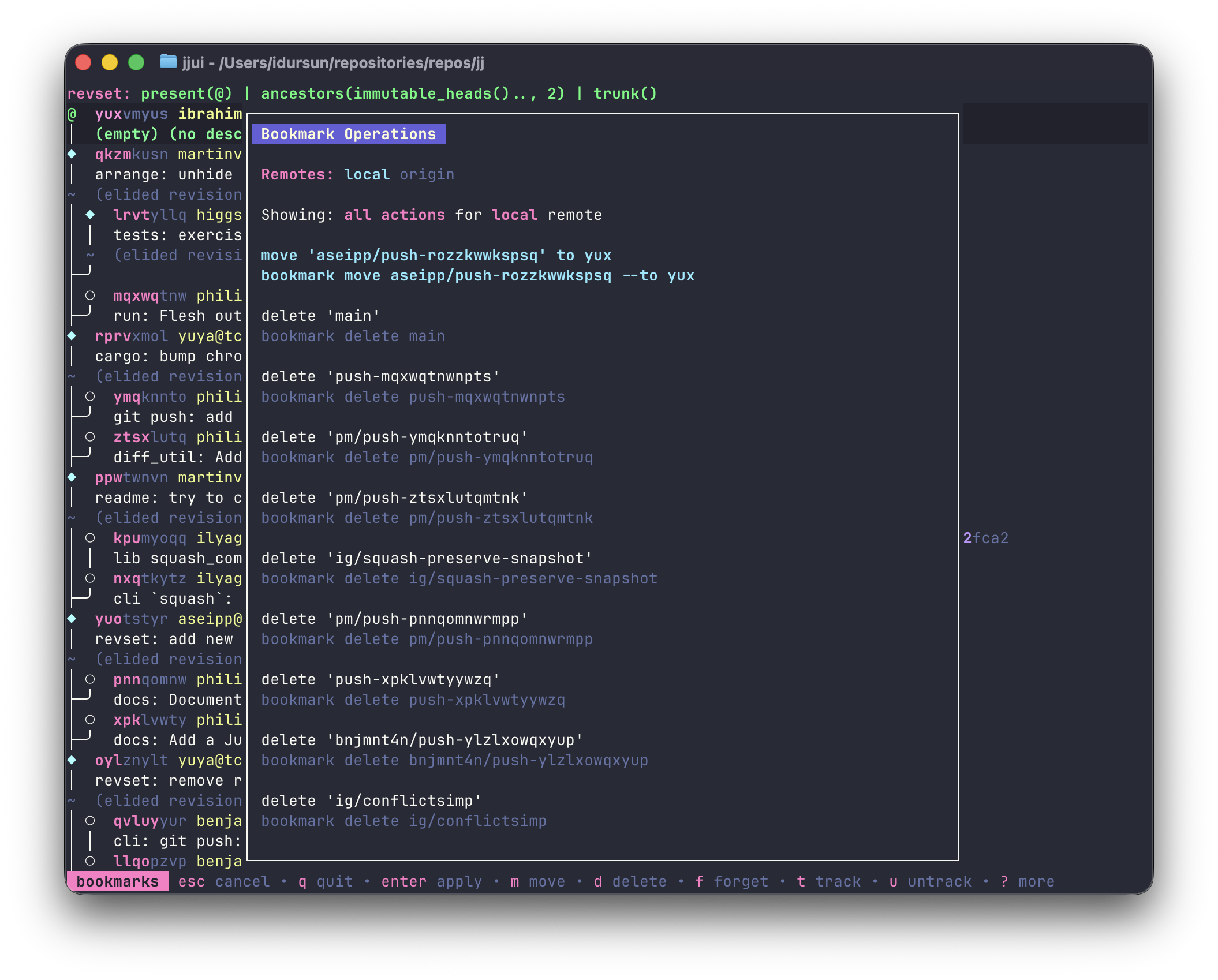
Press b to open the bookmark menu. It lists all available bookmark commands and can be filtered by type using shortcut keys:
m: filter to move commands — move a bookmark to the highlighted revisiont: filter to track commands — start tracking a remote bookmarku: filter to untrack commandsf: filter to forget commandsd: filter to delete commands/: free text filter — type a bookmark name to narrow the list
Press esc to close the menu.
Remote cycling
Section titled “Remote cycling”The bookmark menu shows “local” as the first remote, followed by all configured remotes. Press tab / shift+tab to cycle between them. The selected remote filters which commands appear:
- local: move, delete, forget, and untrack commands for all bookmarks, plus track commands for local-only bookmarks (those without a remote)
- a specific remote: only track and untrack commands for bookmarks on that remote
Items within each category are sorted by distance from the current revision — bookmarks closer to where your cursor is appear first in the move list.
Setting a bookmark
Section titled “Setting a bookmark”Press shift+b on a revision to open an inline input box next to the revision’s existing bookmarks.
- Type a new name to create a bookmark on that revision.
- Type the name of an existing bookmark to move it to that revision.
- You can repeat this to create multiple bookmarks on the same revision.